
Find out why a component re-rendered
Answer “which component re-renders too much” and “why did this one update” from one recording. Only the Lit Lifecycle layer needs to be on.
Record one
Section titled “Record one”- Open the Timeline tab and press ▶ Record.
- Interact with the page, or just wait if something updates on its own.
- Switch to Updates.
Recording is shared state, so it does not matter which tab you start it from. Stopping keeps the recording. Starting again clears it, because the page re-zeroes its timeline clock each time.
Read the component table
Section titled “Read the component table”The upper pane holds one row per component tag, slowest first.
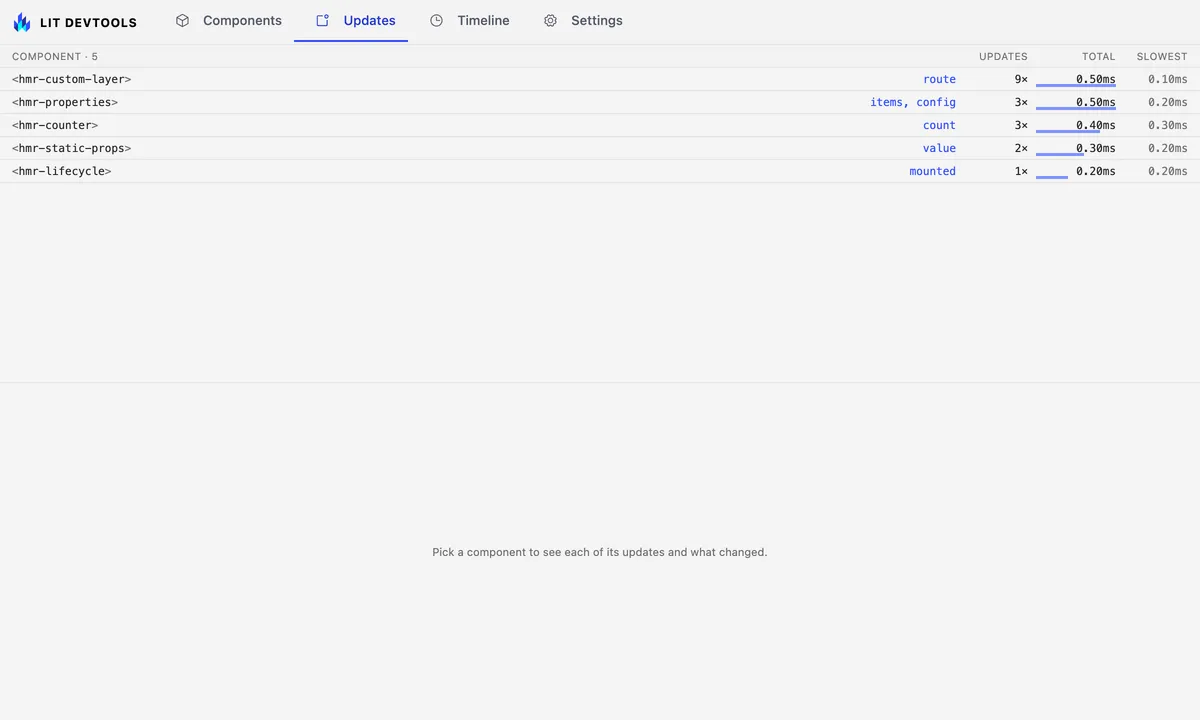
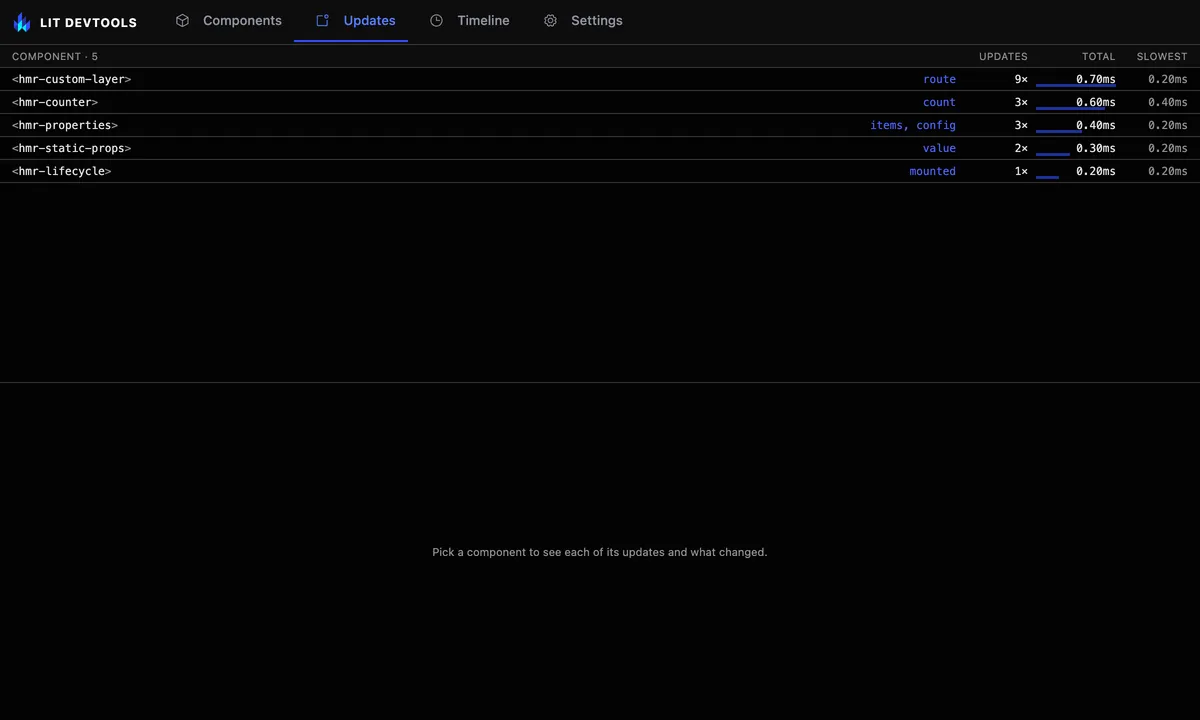
| Column | Meaning |
|---|---|
| Component · n | The tag, with ×n when more than one instance of it updated. The header counts the components listed. |
| (unlabelled) | The reactive properties that changed, most frequent first, then a badge for each thing to look at: n skipped for ticks shouldUpdate vetoed, ≡ and a count for equal-value reassignments, ⚠ and a count for updates that threw. A badge only appears when its count is not zero. |
| Updates | How many update ticks were recorded, as n×. |
| Total | Summed time in performUpdate across those ticks, with a bar scaled to the largest total in the table. |
| Slowest | The slowest single update. |
Rows group by tag rather than by instance on purpose. A list of 200 rows that each updated twice is one component’s problem, not two hundred.
Time comes from performUpdate alone. willUpdate, update and updated all
run inside it, so adding the phases together would count the same milliseconds
several times over. A tick whose end was not recorded, because it is still
running or older than the retained window, counts toward Updates but adds
nothing to Total.
Read one component’s updates
Section titled “Read one component’s updates”Pick a component and the lower pane lists each of its update ticks: when it started and how long it took, what changed, what caused it, and the instance id, which links through to the Components tab. Above the list, the source link opens the component’s file in your editor. While a single instance has updated, a Rendered at link beside it opens the template tag that created that instance; with several instances there is no one place to name, so it is left out.
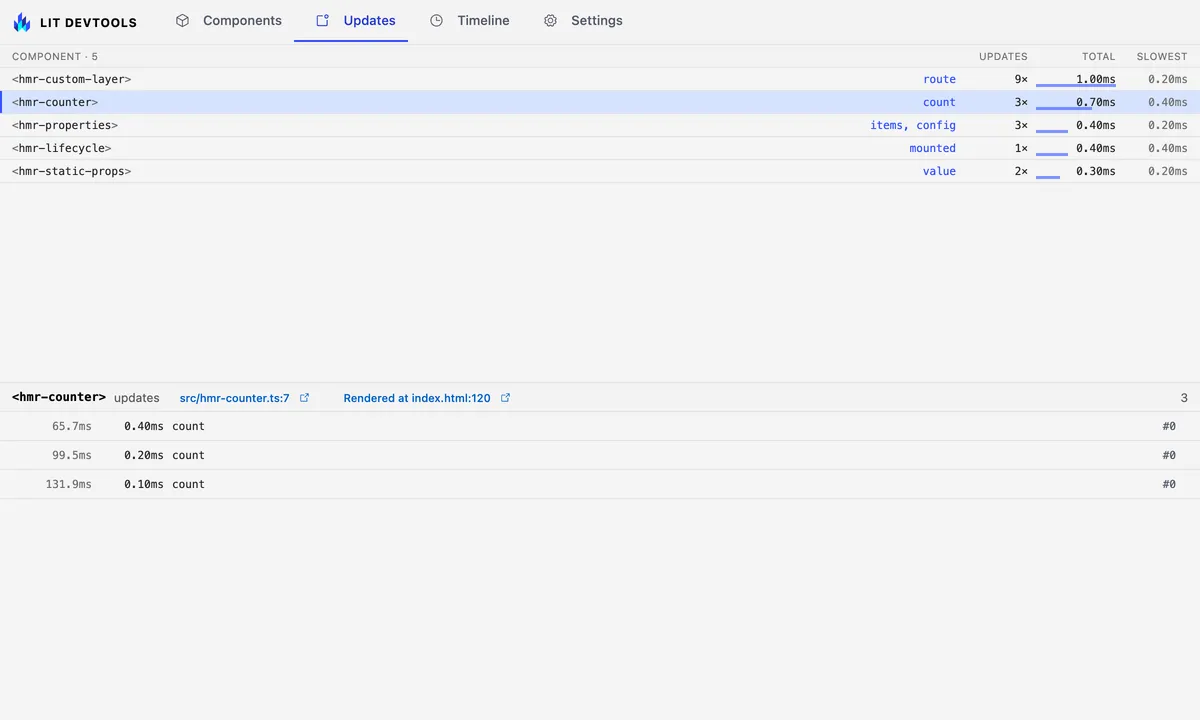
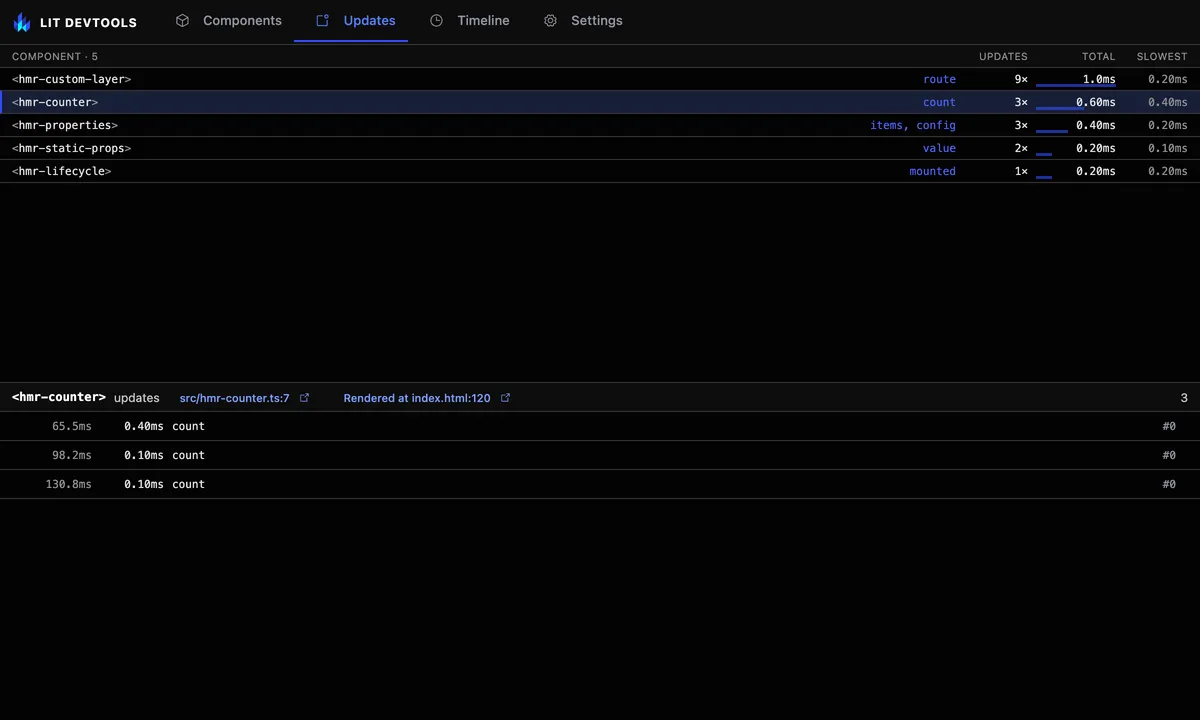
The changed-property keys are the actual answer to “why did this re-render”.
They come from Lit’s own changedProperties map, so they are what the element
reacted to, not an inference.
A row marked skipped means the component’s shouldUpdate returned false: the
properties listed changed, but nothing re-rendered. Skipped ticks are counted
in the row’s skipped badge and not under Updates or Total, so those columns keep
meaning renders. lit_update-summary returns skipped per component and
skipped: true per cycle.
A row marked threw in update means that phase threw. The error’s name is
shown, and its message is in the tooltip. The component table counts such
updates under ⚠, and lit_update-summary returns errors per component and
error per cycle, so an agent sees them too.
Failures that happen later are tied to the update that started them. A row
marked rejected in updated means an async updated() (or willUpdate,
firstUpdated) returned a promise that rejected with nothing handling it. A row
marked task userTask failed means that @lit/task ended in its error state.
An error thrown from a timer or an event listener the component set up has no
such link, so it shows only in the browser console.
See the old and new values
Section titled “See the old and new values”Turn on the Changed values layer in the Timeline tab before you record.
Each update then lists prev → next for every property that changed, under its
row. The previews use the same limits as the
Components tab: two levels
deep, eight items, 120 characters.
A badge reads new reference, same value when the property was assigned a
different object, array or date with equal contents. That is the usual cause of
a pointless re-render: an inline [] or {} in a template, or a list that is
re-mapped on every change. Same reference means the property was not
reassigned, for example a requestUpdate('items') after mutating in place. The
component table marks a row with ≡ and a count when any of its updates
reassigned an equal value, and the tooltip names the properties.
The layer is off by default because it serializes values on every update. At
most 16 properties are recorded per update. Only the update phase is read, so
a component that overrides update() without calling super reports nothing.
Equality is checked on plain objects, arrays and dates, to six levels and 200
values. Anything else, such as a Map or a class instance, counts as
different, and so does a value that exceeds the budget.
The same data is in lit_update-summary: changedDetail on each cycle and
redundantChanges on each component.
In the playground fixture below, clicking the provider’s button bumps the
marked counter. Both the provider and its consumer show a tick, and both name
counter among the changed properties.
import {LitElement, css, html} from 'lit';import {customElement, state} from 'lit/decorators.js';import {consume, provide} from '@lit/context';import {counterContext} from './context-def.js';
/** * Context API surface: a provider whose `@provide` value is also `@state` * (bumping it pushes to subscribed consumers), and a consumer nested in * its shadow DOM. The consumer sits in its own template literal so * provider-header edits never rebuild the consumer element; the * ContextProvider/ContextConsumer controllers live on the (untouched) * instances and must keep working after either class is hot-patched. */@customElement('hmr-ctx-provider')export class HmrCtxProvider extends LitElement {  static override styles = css`    .badge {      font-size: 0.8em;      color: var(--muted, #666);    }  `;
  @provide({context: counterContext})  @state()  private counter = 0;
  private renders = 0;
  private renderHeader() {    return html`<h2>Context: HELLO</h2>`;  }
  override render() {    return html`      ${this.renderHeader()}      <button id="provide-increment" @click=${this.increment}>        Provided: ${this.counter}      </button>      <hmr-ctx-consumer></hmr-ctx-consumer>      <span class="badge" id="badge">renders: 0</span>    `;  }
  override updated() {    this.renders++;    this.setAttribute('data-renders', String(this.renders));    const badge = this.renderRoot.querySelector('#badge');    if (badge !== null) {      badge.textContent = `renders: ${this.renders}`;    }  }
  private increment() {    this.counter++;  }}
@customElement('hmr-ctx-consumer')export class HmrCtxConsumer extends LitElement {  static override styles = css`    #consumed {      font-weight: 600;    }  `;
  @consume({context: counterContext, subscribe: true})  @state()  private counter?: number;
  private renders = 0;
  override render() {    return html`<p id="consumed">Consumed: ${this.counter}</p>`;  }
override updated() { this.renders++; this.setAttribute('data-renders', String(this.renders)); }}A component that overrides willUpdate or updated without calling super
shadows the base implementation and does not report that phase. The tick still
appears, because performUpdate is never overridden, but its changed keys can
be missing.
Link to a view
Section titled “Link to a view”The tab is addressable like the others. The element id selects the component row that instance belongs to, so the same id works whether you came from the Components tree or from an exported snapshot.
#tab=updates&component=7Ask an agent instead
Section titled “Ask an agent instead”The same derivation is available over MCP as lit_update-summary, which a
coding agent should prefer over
lit_recent-events for anything shaped like “why did this re-render”.